Wedding Livestream Singapore 2026
Set up a Singapore wedding livestream with cameras, audio, venue Wi-Fi checks, overseas guests, privacy, and realistic cost tradeoffs.
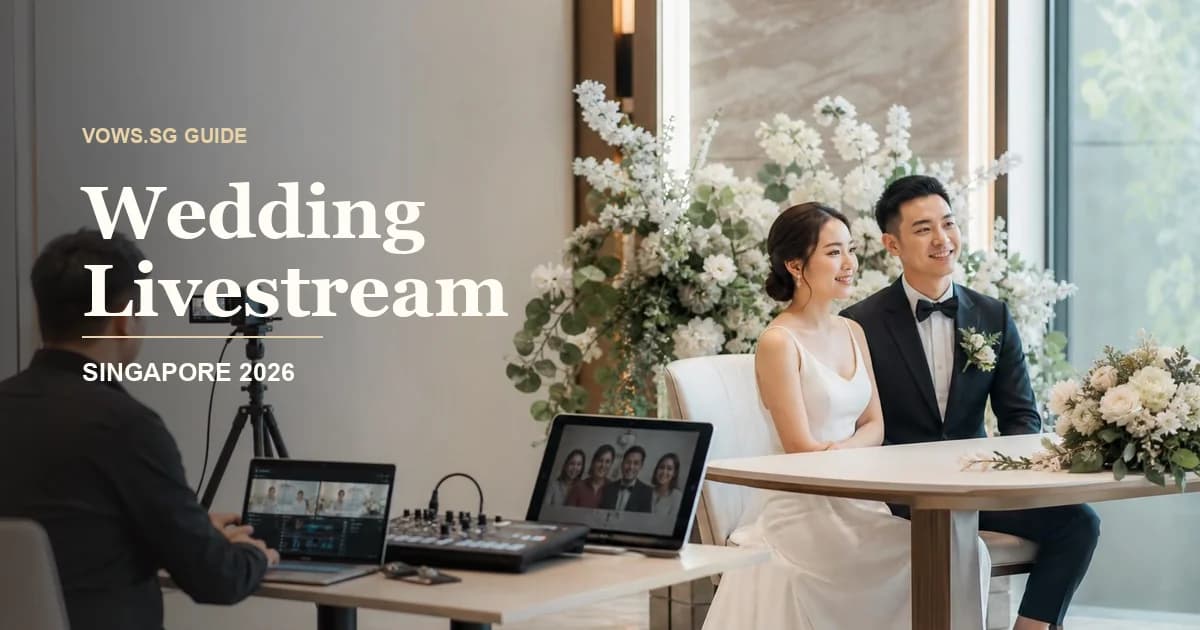
Wedding livestreaming used to feel like a pandemic workaround. In 2026, it is more of a practical guest-care tool: useful when people you love genuinely cannot attend, but not something every couple needs to add just because it sounds modern.
For Singapore weddings, livestreaming makes the most sense when your guest list is split across countries, when elderly relatives cannot travel easily, or when you are keeping the physical celebration small because of budget, venue capacity, BTO renovation timing, or simply sanity. It is less useful if the stream becomes another expensive production that nobody watches properly.
The goal is simple: let the right people witness the important moments clearly, hear the vows properly, and feel included without turning your wedding into a broadcast event.
When Wedding Livestreaming Is Worth It
Livestreaming is worth considering if you have guests who would be hurt to miss the ceremony but genuinely cannot be there. Think grandparents overseas, relatives in Malaysia, China, Hong Kong, India, Australia, the UK, or the US, close friends who are heavily pregnant, or family members with mobility or health issues.
It is especially useful for:
- ROM solemnisation with overseas family watching in real time
- Church, temple, mosque, or civil ceremonies where vows and rituals matter
- Tea ceremony moments for relatives who cannot fit into the home
- Small restaurant weddings where you cannot invite every extended relative
- Destination-style weddings in Singapore where one side of the family is flying in
- Banquet march-in and speeches for relatives who only want the main highlights
It is probably not worth it if:
- Almost everyone important can attend physically
- Your venue has weak internet and no proper testing window
- You only want it because a vendor bundled it in
- Your ceremony is very short and casual
- You are already stretched managing too many moving parts
A good rule: if there are at least 10 to 20 meaningful remote viewers, or one or two very important people who cannot attend, livestreaming is worth planning properly.
ROM, Tea Ceremony, and Banquet: What Should You Stream?
Not every part of the wedding day needs to be streamed. Please do not stream 12 hours of chaos from morning makeup to last yum seng. People overseas may love you, but they also have lives.
ROM or Solemnisation
This is the cleanest and most meaningful segment to livestream. The timing is fixed, the programme is short, and the key moment is easy to understand even for guests who are not familiar with Singapore wedding flow.
For ROM or solemnisation, stream:
- Processional or entrance
- Solemniser’s opening
- Vows and ring exchange
- Signing of documents, if appropriate
- Pronouncement and kiss
- Short photo moment or couple wave to online guests
If you are doing ROM at a hotel, restaurant, garden venue, or chapel, ask the coordinator where the camera can stand without blocking the aisle, photographer, or solemniser.
Tea Ceremony
A tea ceremony livestream can be lovely, but it needs more sensitivity. Unlike ROM, tea ceremony is intimate. There may be dialect expectations, family hierarchy, ang bao exchange, jewellery gifting, and private emotions.
Stream it only if both families are comfortable. For Chinese weddings, parents or grandparents may want overseas relatives to watch the couple serve tea, especially if close family members cannot fly in. If you are still figuring out the flow, our Chinese tea ceremony guide is a good companion.
For tea ceremony livestreaming:
- Keep the camera fixed and respectful
- Do not zoom aggressively into ang bao or jewellery
- Brief the host to announce names clearly
- Mute private side conversations where possible
- Use a private link, not a public social media stream
If your family is also doing Guo Da Li or discussing Si Dian Jin, keep those separate. Not every cultural detail needs to be broadcast.
Banquet
A full banquet livestream is harder because hotel and restaurant timings are fluid. March-in delays, table photo-taking, speeches, video montage, yam seng, and dish service can all shift.
If you want banquet streaming, focus on:
- First march-in
- Couple’s speech
- Parent speeches
- Champagne pouring or cake cutting
- Yam seng
- Second march-in, if important
- Short thank-you wave to remote guests
Do not expect overseas guests to sit through the entire dinner service. For relatives in different time zones, a 20- to 40-minute “main programme” stream is usually kinder.
DIY vs Professional Livestreaming
The big decision is whether to DIY or hire a professional team. Both can work. The wrong choice usually happens when couples underestimate audio, internet, and who will manage the stream on the day.
| Option | Best For | Planning Budget | Pros | Watch Outs |
|---|---|---|---|---|
| Phone on tripod | Small ROM, casual family stream | S$0–S$150 if you own the phone | Simple, cheap, fast | Audio can be weak, battery/data risk, framing may look flat |
| DIY camera + mic setup | Tech-savvy couple with helper | S$150–S$600+ for mic, tripod, data, adapters | Better quality without full vendor cost | Needs testing and a dedicated operator |
| Add-on from videographer | Couples already hiring video | Quote separately | Coordinated with actual-day coverage | Check whether it is a true livestream or just recording |
| Professional livestream team | Larger ceremony, overseas VIPs, high stakes | Often low four figures and up depending setup | Multi-camera, proper audio, backups | More cost, more crew, needs venue coordination |
For many couples, the sweet spot is not “cinematic livestream”. It is a stable, private stream with clean audio and a steady camera. Your overseas auntie does not need drone footage. She needs to hear your vows without the video freezing.
If you are already hiring a videographer, ask whether livestreaming can be added. Just do not assume video coverage automatically includes livestreaming. Recording and broadcasting are different workflows. Our wedding videographer guide goes deeper into video deliverables if you are comparing packages.
Camera Setup: Keep It Stable, Not Fancy
A wedding livestream does not need complicated camera movement. In fact, too much movement can make the stream feel messy.
For ROM or solemnisation, use one stable main camera angle:
- Slightly off-centre, facing the couple and solemniser
- High enough to see faces, not the backs of guests’ heads
- Far enough to include both partners and the signing table
- Away from the photographer’s main shooting lane
- Plugged into power if the stream runs more than 30 minutes
For larger ceremonies, a two-camera setup is better:
- One wide shot for the full ceremony area
- One tighter angle for vows, rings, and expressions
If you are DIY-ing with a phone, use the rear camera, not the selfie camera. Lock the exposure and focus if possible. Put the phone in landscape mode unless your remote viewers are mostly watching on mobile and you have agreed on vertical. For wedding streams, landscape is usually safer because laptops and TVs handle it better.
Avoid these common mistakes:
- Handholding the phone for the whole ceremony
- Placing the camera behind guests
- Letting children or random cousins “help” with the tripod
- Putting the camera where servers, coordinators, or photographers will walk
- Forgetting that hotel ballroom lights may dim during march-in
Audio Matters More Than Video
If guests can see slightly soft video but hear everything clearly, they will still feel included. If the video is beautiful but the vows sound like MRT tunnel noise, the stream fails.
For solemnisation, the best audio options are:
- A lapel mic on the groom or one partner
- A mic near the solemniser
- Audio feed from the venue sound system, if available
- A small recorder placed near the ceremony table as backup
For banquet speeches, ask whether the venue can provide a clean audio output from the mixer. This matters especially in hotel ballrooms, where the house speakers may sound fine in the room but terrible when picked up by a phone mic from the back.
If you are streaming a tea ceremony at home, audio is trickier. HDB flats, condos, and landed homes can be noisy: relatives chatting, kids running around, doorbell ringing, neighbours drilling because of course they are. Place a small mic or phone close to the tea ceremony area, and ask one family member to gently control the noise during key moments.
Venue Wi-Fi Testing in Singapore
Do not rely on “venue has Wi-Fi” as a plan. That sentence has ruined many livestreams.
Singapore hotels and restaurants often have guest Wi-Fi, but wedding livestreaming needs stable upload speed, not just browsing speed. A venue can be fine for WhatsApp and still poor for streaming.
Ask your venue:
- Is there dedicated event Wi-Fi or only public guest Wi-Fi?
- Can the livestream device connect without a login page timing out?
- What upload speed is available at the actual ceremony area?
- Is wired LAN available near the AV table?
- Will there be other events using the same network?
- Can we test at the same time of day as the wedding?
- Who is the AV or banquet contact on the actual day?
Test from the exact camera position. Not the lobby. Not the sales office. The exact ceremony corner, ballroom entrance, restaurant private room, or outdoor lawn.
For a basic stable stream, aim for at least 5 Mbps upload. More is better. If the test fluctuates badly, plan backup data.
Backup Data, Power, and Platform
A livestream plan needs backups because weddings do not pause while someone troubleshoots.
Backup Data
Have at least one independent data backup:
- 5G mobile hotspot from a different telco if possible
- Spare phone with generous data plan
- Portable Wi-Fi device
- Vendor-provided bonding or backup router for professional setups
If your venue is in a basement ballroom, thick-walled restaurant, Sentosa corner, or older building, test mobile reception too. Some areas look central on the map but behave badly once you are inside.
Power
For anything longer than 30 minutes, plug in. If you cannot, use a reliable power bank and test the cable connection.
Prepare:
- Charger and long cable
- Power bank
- Extension cord, if venue allows
- Gaffer tape to secure cables
- Spare charging cable
- Fully charged backup phone
Platform
Choose the platform based on your guests, not your own tech preference.
| Platform | Good For | Notes |
|---|---|---|
| Zoom | Elderly relatives, interactive greetings | Familiar, but assign someone to manage mute/admit |
| YouTube unlisted | Larger guest list, easy TV viewing | Good for one-way viewing, link can be shared |
| Google Meet | Small family group | Simple if most guests use Google |
| Private vendor page | Professional setup | Ask about expiry, download, and privacy |
| Instagram/Facebook Live | Very casual streams | Less private, not ideal for family-sensitive ceremonies |
For Singapore families, Zoom is often easiest for relatives who want to say hello before or after the ceremony. YouTube unlisted is better if you want fewer interruptions.
Privacy Links and Guest Etiquette
A wedding livestream is still a private family event. Treat the link like an invitation, not a public post.
Share the link only with invited remote guests. Avoid posting it openly on Instagram Stories or large WhatsApp groups unless you are genuinely comfortable with distant acquaintances watching.
Use these privacy basics:
- Send the link 3 to 7 days before the wedding
- Send a reminder on the morning itself
- Include Singapore time clearly, plus overseas time if needed
- Use a waiting room or passcode for Zoom
- Disable guest screen sharing
- Ask viewers not to record or repost
- Keep the stream unlisted or private where possible
A simple message works:
“Hi everyone, we’ll be livestreaming our solemnisation for family overseas. Please join from 10.45am SGT; ceremony starts 11am. This is a private family link, so please don’t forward it outside the family. Thank you for being with us from afar.”
That is warm, clear, and not too paiseh.
Who Should Manage the Livestream?
Not the bride. Not the groom. Not the parents. Not the sibling who is also coordinating ang bao, tea ceremony, and transport.
Assign one calm person whose only job is livestream control. This can be:
- Actual-day coordinator
- Videographer’s assistant
- Tech-savvy bridesmaid or groomsman
- Cousin who is not involved in key rituals
- Venue AV staff, if included and properly briefed
Their job is to:
- Start the stream early
- Check audio and framing
- Monitor battery, Wi-Fi, and data
- Admit Zoom guests
- Mute noisy viewers
- Switch backup data if needed
- Stop recording at the right time
If your wedding day already has gatecrash games, tea ceremony at two homes, ROM, hotel check-in, makeup changes, and banquet march-ins, pay for help if budget allows. The cheapest option is only cheap if it does not create stress.
Timeline: When to Decide
Add livestream decisions into your normal planning flow. Do not leave it to the wedding week.
| Timing | What To Decide |
|---|---|
| 6–9 months before | Decide whether overseas relatives or elderly guests need livestream access |
| 3–6 months before | Ask venue and videographer about livestream capability |
| 1–2 months before | Choose platform, assign operator, plan camera/audio placement |
| 2–3 weeks before | Test venue Wi-Fi or mobile data at the actual location |
| 1 week before | Send private link, schedule reminders, prepare backup devices |
| 1 day before | Charge equipment, print login details, confirm who starts the stream |
| Wedding day | Start 10–15 minutes early and keep the stream focused |
For the rest of your planning timeline, use our Singapore wedding planning checklist so livestreaming does not become one more loose end floating around.
Vendor Questions to Ask
If you are hiring a vendor or adding livestreaming to your video package, ask direct questions. Vague answers now become panic later.
Ask:
- How many cameras are included?
- Will audio come from lapel mics, venue soundboard, or camera mic?
- Do you provide backup internet?
- What happens if venue Wi-Fi fails?
- Will someone monitor the stream live?
- Is recording included?
- How long will the replay link stay available?
- Can the link be private or password-protected?
- Are there overtime charges if the ceremony delays?
- How early will you arrive for setup?
- Do you need a table, power point, LAN point, or AV access?
- Have you streamed at this venue before?
- Will your setup block the photographer or guests?
Also ask whether prices are nett or subject to GST. If a hotel or vendor quotes “++”, remember that service charge and GST can meaningfully change the final bill. Our wedding cost guide covers this in more detail.
FAQ
Is wedding livestreaming necessary in Singapore now?
No. It is optional. It is useful when important guests cannot attend, especially overseas relatives or elderly family members. If everyone meaningful can be there physically, spend the money elsewhere.
Should we stream the whole wedding day?
Usually no. Stream the ceremony, speeches, or selected banquet highlights. A focused 30- to 60-minute stream is easier to watch and easier to manage.
Can we just use a phone?
Yes, for a simple ROM or small family stream. Use a tripod, external mic if possible, charger, backup data, and a dedicated helper. Do not rely on someone holding the phone casually from the back row.
Should remote guests give ang bao?
Do not make it transactional. Some relatives will still send an ang bao or bank transfer because that is the family norm, but the livestream should be framed as inclusion, not a pay-to-watch arrangement.
What if the livestream fails?
Record the ceremony locally if possible. If the stream drops, you can send the recording afterwards. Remote guests will be disappointed for a moment, but they will understand if you prepared a backup.
Related Guides
-
Wedding Guest Photo Sharing & QR Codes Singapore 2026 Planning the bigger picture? These will help:
Practical Livestream Checklist
Use this before you lock the plan:
- Decide which moments to stream: ROM, tea ceremony, banquet highlights, or speeches
- Confirm both families are comfortable, especially for tea ceremony and private rituals
- Choose DIY, videographer add-on, or professional livestream team
- Ask venue about Wi-Fi, LAN access, power points, and AV contact
- Test upload speed from the exact camera position
- Prepare backup data from a separate mobile network where possible
- Use a tripod or fixed camera position
- Prioritise clear audio with lapel mic, venue feed, or nearby recorder
- Assign one person to manage the stream only
- Choose a private platform and avoid public links
- Send the link 3 to 7 days before, with Singapore time clearly stated
- Start the stream 10 to 15 minutes early
- Record locally as backup
- Keep remote guests muted during the ceremony
- Stop the stream before private family moments resume
- Thank online guests afterwards with a short message or replay link
The tool for this step
Compare Wedding Venues & Packages
133 venues, 1,008 packages — filter by budget, region, and capacity
Planning your own wedding? Get every step like this one in a free personalised checklist.
Start planning freeRelated Guides
Wedding Content Creator Singapore 2027: Is It Worth It?
Compare Singapore wedding content creators with photographers and videographers, including 6-hour coverage, reels, raw clips, rights, privacy and costs.
Child-Free Wedding Etiquette Singapore 2027
Plan a child-free Singapore wedding with 8 invitation scripts, age cut-offs, family exceptions, RSVP handling, childcare ideas and seating rules.
Digital Wedding Invitations & RSVP Singapore 2026
Choose a Singapore digital wedding invitation and track 6 RSVP essentials, including WhatsApp delivery, plus-ones, meals, privacy, and reminders.