Wedding Guest Photo Sharing & QR Codes Singapore 2026/2027
Compare 4 ways to collect Singapore wedding guest photos—QR uploads, shared albums, websites and hashtags—while managing privacy, Wi-Fi and access.
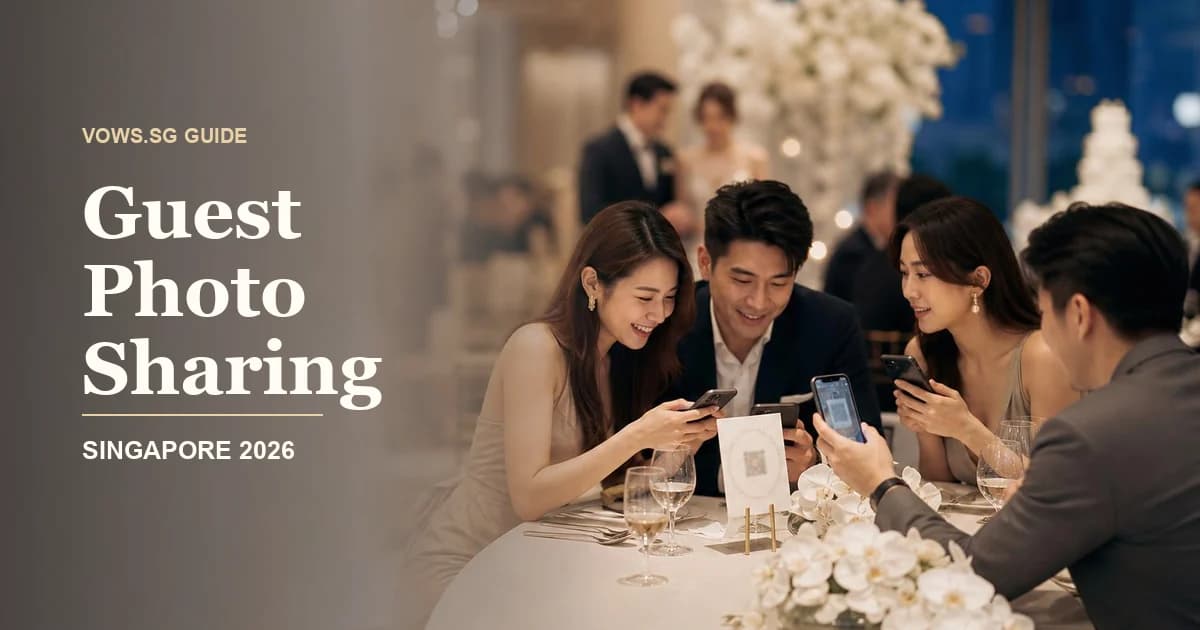
The best setup for most Singapore weddings
For most couples, the sweet spot is a QR-based guest upload album with no app download, paired with a private link you can share again on WhatsApp after the wedding.
It gives guests a simple action—scan, select photos, upload—without turning your wedding into a tech project. Choose a platform that offers:
- Browser-based uploads without compulsory registration
- Original or high-resolution downloads
- Guest access controls
- Optional moderation
- A clear storage or expiry period
- Bulk download for the couple
- Separate albums for different wedding events
The QR code itself does not store any photos. It simply directs guests to your chosen album, wedding website or upload page. Test the entire journey before printing the code on 30 table cards.
Comparing your photo-sharing options
| Option | Best for | Main advantages | Main tradeoffs |
|---|---|---|---|
| QR upload tool | Most weddings and banquets | Easy uploads, no app required on better platforms, centralised downloads | May have upload or storage limits; useful features are often paid |
| Shared cloud album | Small ROMs and intimate celebrations | Familiar, inexpensive and easy for close family | Guests may need an account or app; permissions can be confusing |
| Wedding website | Couples wanting one central information hub | Combines schedule, RSVP, directions and photo links | Uploading may require an external album or embedded service |
| Social media hashtag | Informal, public-facing weddings | Free and easy for active social media users | Poor privacy, inconsistent visibility and compressed image quality |
| Live gallery or photo wall | Energetic receptions and younger crowds | Creates interaction and shows moments in real time | Needs moderation, reliable connectivity and a suitable screen |
| WhatsApp collection | Very small events or family groups | Familiar to almost everyone in Singapore | Photos become scattered, compressed and difficult to organise |
QR upload tools
A dedicated QR album is usually the most balanced choice. Guests scan the code with their phone camera and upload directly through a browser. They should not have to install an app, create a complicated password or verify an email address while seated at your banquet table.
Look for the ability to:
- Upload photos and short videos
- Hide other guests’ uploads if privacy matters
- Approve content before it appears publicly
- Download everything in one batch
- Retain original filenames and image quality
- Divide uploads into albums or event sections
- Extend storage after the wedding
Some platforms also allow text messages, digital guestbook entries or live slideshows. These are pleasant extras, but a fast and reliable upload flow matters more.
Shared albums
Cloud albums can work well for a solemnisation lunch, home tea ceremony or celebration with 20 to 50 guests. Most couples already have access to some form of cloud storage, so the setup cost can be minimal.
The challenge is access. Certain album systems work beautifully for guests using the same phone ecosystem but become frustrating for everyone else. Others require a Google, Apple or platform-specific account before uploading.
Before choosing one, test it using:
- An iPhone that is not logged into your account
- An Android phone
- A phone using mobile data rather than Wi-Fi
- A browser in private or incognito mode
- A non-tech-savvy parent’s phone
If any test takes more than a minute, your actual guests are unlikely to persist.
Wedding websites
A wedding website is useful when you already need one place for RSVPs, hotel directions, dress codes and the day’s programme. You can add the guest album link before the wedding and change the button from “Photo Uploads Opening Soon” to “Share Your Photos” on the day.
This approach works especially well when guests are travelling between an HDB home, ROM venue, church, restaurant and hotel ballroom. The same page can hold MRT directions, parking notes and photo instructions.
However, many wedding websites do not host full-quality uploads themselves. Check whether the photo feature is native, embedded from another provider or merely a link to a shared album.
Wedding hashtags
A hashtag can still be fun, but it should be treated as a social extra rather than your main collection method.
Hashtags have several weaknesses:
- Private accounts may not appear in the feed
- Guests can mistype the hashtag
- Platforms compress uploaded images
- Posts may disappear among unrelated content
- Older relatives may not use the relevant platform
- Some guests will not want wedding photos posted publicly
If you want a hashtag, make it short and easy to spell. Avoid punctuation, ambiguous initials and long puns that only make sense after three explanations. Pair it with a private upload QR code so guests can choose whether to post publicly.
Live galleries
A live gallery displays guest photos on a ballroom screen, television or projector during the reception. It can be entertaining during cocktail hour or between banquet courses, particularly when friends are willing to upload candid moments.
Moderation is essential. Even well-meaning guests may upload:
- Unflattering close-ups
- Screenshots or memes
- Duplicate photos
- Images of children whose parents prefer privacy
- Photos revealing a surprise before it happens
- Pictures of the couple eating mid-bite
Use an approval queue and assign someone other than the couple to manage it. Your bridal party member should be comfortable making quick decisions without messaging you for every photo.
Match the setup to your wedding format
Small ROM or restaurant celebration
A private shared album or simple QR upload page is usually enough. Place one sign near the guestbook and send the link in the family WhatsApp group afterwards.
For a restaurant meal, check whether there is enough time for announcements. Singapore restaurant wedding schedules can move quickly, especially when the venue has another booking after yours. A clear sign is more dependable than asking the emcee to repeat instructions several times.
Hotel banquet
Use table cards plus a main sign at the reception area. If you are running a live gallery, involve the hotel’s banquet and AV teams early.
Confirm:
- Whether the ballroom Wi-Fi is available to guests
- Whether a login page or password is required
- Mobile reception inside the ballroom
- Screen dimensions and supported input formats
- Whether your slideshow device needs an adapter
- Who controls the display during the programme
- Whether venue AV charges are subject to GST or other fees
Do not assume the ballroom screen can simply display a web page because it can play your childhood montage.
Tea ceremony and multi-location wedding
A single album can become messy when photos come from the bride’s home, groom’s home, ROM and banquet. Create clearly labelled sections such as:
- Guo Da Li
- Bride’s tea ceremony
- Groom’s tea ceremony
- Solemnisation
- Cocktail reception
- Dinner banquet
- After-party
This is especially helpful if you are following a fuller schedule from a Guo Da Li through to a traditional Chinese tea ceremony. You may also keep family events private while allowing banquet guests to view a wider gallery.
Privacy and consent decisions to make early
Photo sharing is not automatically the same as permission to publish. A guest may be happy to upload a group photo for the couple but uncomfortable seeing it on a public website or social media advertisement.
Decide which of these models you want:
- Private collection: Only the couple can see uploads.
- Guest gallery: Anyone with the private link can view and upload.
- Moderated gallery: Guests upload, but images appear only after approval.
- Public gallery: Anyone with the URL—or potentially anyone online—can view it.
- Live display: Approved images appear at the event in real time.
For most weddings, a private or moderated gallery is the safer choice.
Add a short note beside the QR code, such as: “By uploading, you agree to share this photo with the couple and guests accessing this private gallery.” If you intend to repost selected images publicly, ask the uploader where practical, especially when children are visible.
Avoid collecting unnecessary personal information. Guests should not need to provide their full name, phone number and marketing consent just to send you a photo.
Download quality, storage and expiry
A gallery may look sharp on a phone while supplying only compressed downloads. If you hope to print guest photos or include them in an album, check whether the service preserves the original upload resolution.
Ask these questions before paying:
- Are original-resolution files retained?
- Are videos compressed or limited by duration?
- Is there a maximum file size?
- Can all files be downloaded together?
- Do captions and guest names export with the files?
- How long does the gallery remain active?
- Can guests upload after the wedding?
- What happens when the subscription ends?
- Is an extension available, and is it automatic?
Storage expiry is easy to overlook during the post-wedding rush. Between returning outfits, counting ang bao, settling final bills and perhaps leaving for a honeymoon, downloading 600 guest photos may not feel urgent.
Set calendar reminders for one week and one month after the wedding. Save at least two copies: one on your computer or external drive, and another in cloud storage.
Plan for venue Wi-Fi and weak reception
Even central Singapore venues can have patchy mobile reception in ballrooms, basements, private rooms or thick-walled heritage buildings. A QR system is only convenient if the upload page loads.
Conduct a site test during a wedding showcase or planning meeting. Stand where guests will actually sit rather than testing only in the lobby.
If Wi-Fi is required:
- Print the network name and password near the QR code
- Avoid passwords that are difficult to type
- Ask whether guests must accept terms on a login page
- Check whether the network limits the number of devices
- Confirm that uploads are allowed and not heavily throttled
Choose a service that lets guests reopen the same link later. Add “No signal? Take this card home and upload tomorrow” to your signage, or send the link in your thank-you message the next day.
Make it easy for parents and elderly guests
Not every guest will know that a phone camera can scan a QR code. Some may be wary of unfamiliar links, while others simply prefer sending photos through WhatsApp.
Provide alternatives without making anyone feel troublesome:
- Print a short, readable web address below the QR code
- Ask younger cousins to help grandparents at each family table
- Let parents send photos to one nominated family member
- Create a family WhatsApp group for casual submissions
- Keep instructions in simple English and, where useful, Chinese
- Ask parents whether dialect-speaking relatives need a verbal explanation
A warm emcee announcement can help: “If you took any nice photos today, scan the code on your table. For our aunties and uncles, the younger ones at the table can help.”
Avoid jargon such as “cloud”, “portal” or “media repository”. “Scan here to send us your photos” is clearer.
Signage that guests will actually notice
One QR code hidden beside the reception ang bao box is not enough. Guests may arrive in a rush, queue for a photo, greet your parents and head straight into the ballroom.
Use the code at several touchpoints:
- Reception or welcome table
- Guestbook area
- Cocktail tables
- One card per banquet table
- Photo booth collection counter
- Wedding programme or menu
- Thank-you message sent after the event
Make the QR code at least large enough to scan comfortably from arm’s length. Use strong contrast, leave blank space around it and avoid placing it over a busy floral background.
Every sign should answer three questions:
- What should I do?
- Why should I do it?
- Can I do it later?
For example:
Scan to share your photos with us. No app needed. Upload tonight or anytime this week.
Test the final printed version. A code that works on your laptop screen may fail after being reduced, laminated under glare or printed in pale gold ink.
Moderation and wedding-day responsibilities
The couple should not be reviewing uploads between the second march-in and table photos. Nominate one person to handle the gallery.
This could be:
- A sibling
- A trusted bridal party member
- Your wedding coordinator
- An emcee during quieter periods
- A dedicated live-gallery operator for a larger event
Give that person written rules. Approve cheerful candids and group photos; reject duplicates, inappropriate jokes, accidental screenshots and images that reveal private family moments.
If you expect more than 150 guests, consider turning off instant public display unless someone is actively moderating. A delayed slideshow containing approved photos is safer and less stressful.
Respect your professional photographer’s role
Guest photos complement professional coverage; they do not replace it. Guests will capture table jokes, MRT journeys, behind-the-scenes preparations and relatives catching up—moments your photographer may not see. Your photographer, meanwhile, is responsible for key events, consistent image quality and the formal record of the day.
Set sensible boundaries:
- Ask guests not to step into the aisle during the march-in
- Request an unplugged solemnisation if clear professional photos matter to you
- Do not encourage flash photography during sensitive moments
- Keep live-gallery screens off during vows or speeches
- Avoid placing QR signs where they obstruct styled details
- Do not apply heavy filters to professional previews and present them as originals
Check your photography agreement before uploading professional images into a third-party gallery or allowing public downloads. Couples commonly receive personal-use rights rather than unrestricted commercial or redistribution rights.
Tell your photographer if a live gallery will be running. They may suggest when screens should be dimmed or help prevent the display from affecting lighting and composition.
What to budget
You can run a basic system inexpensively, but it is worth budgeting for convenience and reliable storage.
Use these as planning allowances rather than fixed vendor prices:
- S$0–S$50: Free shared album, DIY QR code and simple printed signs
- S$50–S$200: Paid guest-upload platform with better capacity, privacy or bulk downloads
- S$200–S$800+: Managed live gallery, added AV support, screen rental or on-site assistance
Printing costs depend on whether you use home-printed cards, your invitation stationer or the hotel’s vendor. Live displays may also involve venue AV charges, labour, GST or service-related fees.
Keep this line item within your broader 2026 Singapore wedding budget. Spending more makes sense when it removes login friction, protects full-resolution files or gives you reliable moderation—not simply because a platform offers more decorative templates.
When to decide and test everything
Choose your photo-sharing method around two to three months before the wedding, once the venue format and guest count are stable.
A practical sequence is:
Two to three months before
- Choose between a private album, guest gallery or live wall
- Confirm expected photo and video volume
- Review privacy, download and expiry settings
- Ask the venue about Wi-Fi, screens and AV charges
One month before
- Build the album and upload a test image
- Create separate event folders if needed
- Generate the QR code
- Write simple instructions
- Add signage to your stationery order
One week before
- Test uploads on different phones
- Test the printed QR code under normal lighting
- Brief your coordinator, emcee and moderator
- Prepare a backup short URL
- Decide when the live screen should be on or off
After the wedding
- Send the upload link with your thank-you message
- Allow guests several days to contribute
- Download all original files
- Back them up in two locations
- Close public access when it is no longer needed
Add these tasks to your wider Singapore wedding planning checklist so the album does not become a last-minute job.
Wedding guest photo-sharing checklist
- Choose one main collection method rather than several competing links
- Confirm that guests can upload without downloading an app
- Test access on both iPhone and Android devices
- Check original-resolution download quality
- Confirm photo, video and storage limits
- Record the gallery expiry date
- Choose private, guest-visible or moderated access
- Add a clear consent note
- Create separate folders for multi-event weddings
- Test ballroom Wi-Fi and mobile reception
- Prepare a short URL as a QR-code backup
- Print clear signs for reception and banquet tables
- Ask younger relatives to help elderly guests
- Assign someone to moderate live uploads
- Inform your photographer about screens and guest-photo plans
- Send the link again after the wedding
- Download and back up every file before storage expires
Related Guides
The tool for this step
Compare Wedding Venues & Packages
133 venues, 1,008 packages — filter by budget, region, and capacity
Planning your own wedding? Get every step like this one in a free personalised checklist.
Start planning freeRelated Guides
Digital Wedding Invitations & RSVP Singapore 2026/2027
Choose a Singapore digital wedding invitation and track 6 RSVP essentials, including WhatsApp delivery, plus-ones, meals, privacy, and reminders.
Wedding RSVP & No-Show Management Singapore 2027
Reduce Singapore wedding RSVP chaos with 9 steps for deadlines, plus-ones, reminders, meal choices, no-shows, table guarantees and final venue handoff.
Wedding Seating Plan Singapore 2026/2027: Table Guide
Build a Singapore wedding seating plan with 10-seat banquet tables, VIP placement, family dynamics, dietary needs, plus-ones, and venue handoff.