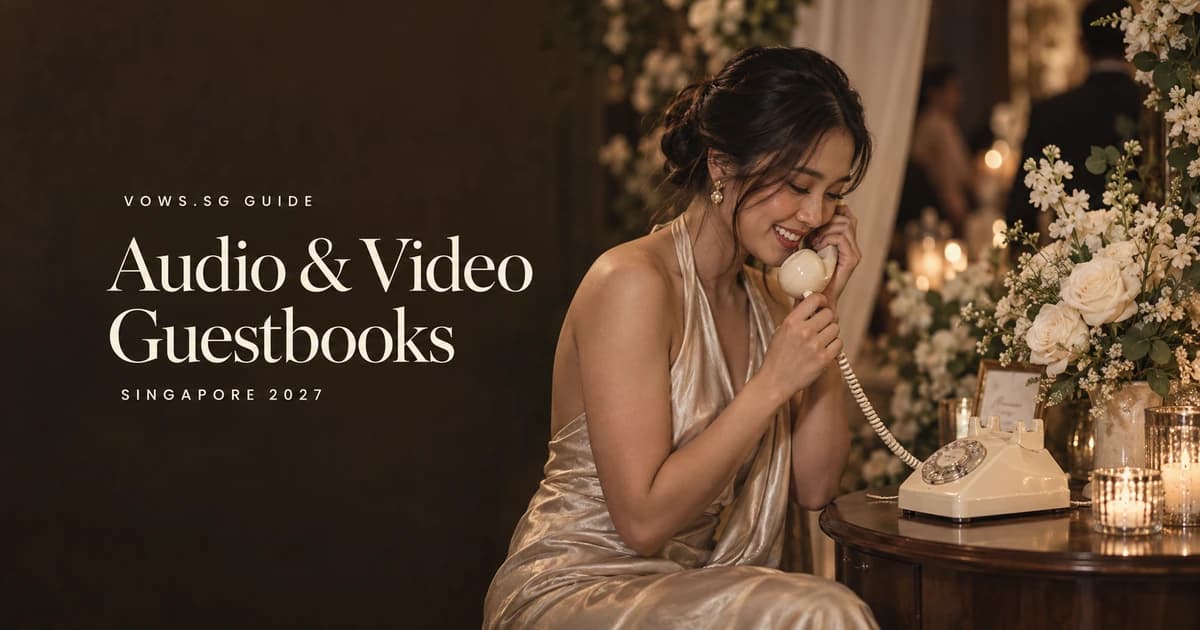
Audio & Video Guestbook Singapore 2027
Compare 5 Singapore wedding guestbook formats—audio phones, video booths, QR uploads, paper books and hybrids—with costs, prompts, privacy and files.
Choose the memory you actually want to keep
Your grandmother’s voice. A friend recalling the first time you mentioned your partner. Your parents offering a blessing in the dialect they speak at home. That is the appeal of an audio or video wedding guestbook: something more personal than another “congratulations” on a page.
For a Singapore wedding in 2027, start with the result you want, not the most photogenic booth. Choose audio for voices and stories, video for faces and gestures, and paper when simplicity matters most. A small ROM lunch may need only a notebook and a few recorded family messages. A hotel banquet needs a plan for noise, queues and who helps guests use the equipment.
This is a planning guide, not a 2027 price list. Supplier pages checked in September 2026 describe available formats; they do not establish next year’s availability or your final quotation. Confirm the date, scope and total payable before booking.
Compare five guestbook formats
| Format | Guest effort | What you keep | Main planning tradeoff |
|---|---|---|---|
| Audio telephone | Pick up, listen, speak, hang up | Voice recordings; ask about individual files | Music and nearby conversations can overwhelm a heartfelt message |
| Video station or roaming interview | Speak to a camera or interviewer | Faces, voices and gestures | Needs suitable light, clear sound and a willing participant |
| QR message upload | Scan a link and record or upload | Whatever text, audio or video the chosen service supports | Phone permissions, data access and account requirements can stop participation |
| Paper book or message cards | Write or draw | A physical keepsake | Pens, table space and later storage still need an owner |
| Hybrid | Choose one of two complementary routes | A mixture of voices, pictures or handwriting | More options mean more signs and more administration |
Audio telephone: familiar-looking, but explain it
A retro phone is an appealing invitation to leave a message, but its appearance does not explain the recording sequence. Have the supplier demonstrate exactly when recording starts and stops. Check whether the device gives a beep, how it handles an abandoned call and whether a guest can retry.
Ask for a sample recorded in an event setting, not only a quiet studio. A handsome telephone cannot compensate for a speaker stack next to the microphone. You also need to know whether the phone records locally, relies on a network, or uses another arrangement; do not assume every model behaves identically.
Video: a station and an interview are different jobs
A fixed station suits guests who enjoy speaking to a camera. Give it a quiet background, flattering light and enough room for a seated guest or a small family group. A roaming interviewer can gently draw out a story from someone who would never approach a booth, but this requires staffing, consent and a schedule.
Neither format replaces your wedding videographer’s ceremony coverage. If interviews are an add-on, establish who conducts them and whether that person is also expected to film your march-in or speeches. One person cannot reliably cover simultaneous activities in different rooms.
QR uploads: useful after the celebration too
A QR code is a link, not a promise of recording capability. Test whether the selected service actually accepts audio, video or only photos. Check guest login requirements, clip-length limits and whether the upload page works on both iPhone and Android.
QR collection can let an overseas relative contribute or give a shy guest time to record at home. It is less useful when every guest needs help granting camera permissions. Put a readable link alongside the code and offer a non-digital alternative. Our guest photo-sharing and QR guide covers the wider album decisions; keep messages and photo uploads under one clear set of instructions where practical.
Paper and hybrids: keep the second option purposeful
Paper remains a good choice for a guest who prefers drawing, writing in Chinese, or keeping their voice off a recording. Use cards if several people need to write at once, and nominate someone to collect them before the restaurant clears the tables.
A thoughtful hybrid might be an audio phone plus a small stack of cards. It need not be a phone, interview booth, hashtag, shared album and five competing QR codes. If you already booked a wedding photo booth, ask whether a written-message album already forms part of its scope. Buy a second service only if it preserves something different.
Put the guestbook where people can use it
At a hotel banquet, ask the coordinator to walk the proposed location with you. Reception is convenient, but the ang bao collection queue, registration desk and ballroom entrance may already compete for space. Keep the guestbook away from cash handling, speaker stacks and routes used by service staff. Do not obstruct exits or wheelchair access.
Test a short recording with music playing at the expected reception level. For video, check both faces and sound on an actual playback. A quiet-looking corridor can still pick up kitchen doors or passing conversations. Outdoor setups need shade, rain cover and a venue-approved power arrangement; a decorative canopy alone is not an equipment plan.
For a home tea ceremony, choose a quieter room after the formalities rather than recording over family instructions. Moving between an HDB home, solemnisation venue and banquet creates extra handovers: name the person responsible for the device, cables and return case. Confirm that your rental allows all intended locations and hours.
Put one helper in charge of a brief introduction, not of pressuring guests. They can explain the controls, invite the next person when the station is free and alert the supplier if something fails. The emcee can mention it once before dinner and again during a suitable break. Leave vows, speeches and ceremonial moments uninterrupted.
Ask for stories, not performances
Record a short greeting in your own voices. Something like: “Hello, it’s Mei and Dan. Tell us your name, then share one memory or wish. A short message is lovely. Thank you for celebrating with us.” Follow the supplier’s actual recording instructions when you add the operational steps.
Offer two or three prompts at the station instead of a crowded questionnaire:
- What is a little thing about us that makes you smile?
- When did you first realise we were a good match?
- What should we remember when married life gets busy?
- Which family tradition would you like us to keep?
- Tell us about a meal, trip or ordinary day we shared.
- Leave a blessing in whichever language feels natural to you.
Suggest roughly 30–60 seconds as your own queue-management preference, not as a technical limit. A spontaneous ten-second blessing can mean more than a rehearsed speech. Avoid prompts inviting embarrassing revelations, comments about fertility or private family disputes.
Ask parents whether English, Mandarin, Malay, Tamil or a dialect explanation would help. Let relatives choose their language; do not insist on English for the sake of an edit. If you request subtitles or translations, price that separately and have a trusted fluent person check names and meaning.
Guests should be able to decline. A seated recording position, reachable handset and printed instructions can help, but no single format suits everyone. Offer paper or assistance without assuming that age predicts confidence with technology. For a child’s recorded message, involve their parent or guardian and avoid publicly displaying it by default.
Define the files before you pay
A polished highlight reel and a folder of individual messages are different deliverables. Ask for both if both matter. Confirm the audio or video formats, whether every usable recording is included, and whether the supplied files play outside the vendor’s app or player.
Your written scope should cover:
- Coverage dates and hours, including setup and collection.
- Staffing, travel, delivery, deposits and overtime.
- What counts as editing: trimming silence, noise reduction, music, captions or a montage.
- Whether original individual recordings are included or cost extra.
- Delivery timing, download method and any revision allowance.
- Link expiry, vendor retention, deletion requests and extension charges.
- What happens if a device, memory card or upload service fails.
A supplier cannot guarantee a meaningful recording from every guest. Nor should you assume editing can rescue heavily distorted sound. Ask who checks a sample on the day and what backup is available. This may be a spare device or a separate agreed recording route; establish it before the event rather than handing an unbriefed bridesmaid a troubleshooting job.
Compare quotations using the wedding vendor contract checklist. Record whether amounts are in SGD, include GST where applicable, and cover venue-related charges. A hotel’s service charge does not automatically apply to an outside supplier, and a bare dollar figure does not tell you its tax treatment.
Privacy: collection is not permission to post
Decide who can hear or see the recordings: just you, invited guests, or the public. These are different uses. Do not treat a “private link” as proof of restricted access; check whether someone receiving a forwarded link can open the files.
A plain-language sign could say: “Leave a message for the couple’s private keepsake. Recording is optional. Please ask our helper if you would like a message removed.” Only use that wording if it matches the service you actually configured. If other guests can view messages, say so. Ask separately before using someone’s voice or face in a public reel.
Check the supplier’s portfolio and marketing clauses as well as the album settings. Agree how to opt out of promotional use, who can access the material, and what retention or deletion process applies. Avoid publishing a QR upload link on an unrestricted wedding page if it is intended only for invited guests.
For QR forms, collect only information you need to identify a message. A name or nickname may be enough; there is no planning reason to request an NRIC number or a full address. Keep marketing sign-up separate from leaving a wedding wish. This is practical privacy planning, not a claim that one sign or checkbox satisfies every legal obligation.
Once files arrive, listen to or watch samples from the beginning, middle and end of the event. Download the complete set before the link expires and keep two copies in locations you control. Assign this to a named person before the honeymoon and BTO paperwork push it off the list.
Compare scope before comparing Singapore quotations
The official supplier pages checked on 15 September 2026 show why the headline price is only a starting point. SG Photo Booth’s audio guestbook page describes a recorded greeting and a compilation after the event, but the retrieved text does not establish rental hours, a file format or a delivery deadline. Ask for these rather than assuming them.
Octopus Reels’ phone-booth experience displays S$560 with six-hour audio rental, booth décor, written cards, audio editing, delivery, setup and collection listed. That is a dated advertised example, not a confirmed 2027 quote or a market average. The retrieved package text does not establish GST treatment, a download expiry or the file-delivery deadline. Confirm the precise package and all three points in writing.
Orbyt advertises both audio and video guestbooks. Its Classic audio product page and homepage showed different starting-price and delivery-window information when checked, so we are not treating either as a settled quotation. Request one written offer for your event date.
Compare equal coverage periods and total payable amounts. A phone-only rental, a decorated booth and staffed video interviews are not interchangeable. If this is an optional keepsake, set your own spending ceiling within the wedding budget before adding décor, extra hours or a montage.
Frequently Asked Questions
Is an audio guestbook better than a video guestbook?
Audio is a good fit when voices matter most and guests may feel camera-shy. Video preserves expressions too, but needs appropriate lighting and framing. Choose by the memories you want, then test the recording quality in conditions similar to your venue. Neither format guarantees participation.
Can we use it for both the tea ceremony and banquet?
Possibly, but confirm the rental period, multiple-location permission and transport responsibilities. A six-hour booking may not cover an early tea ceremony and evening dinner. If the supplier installs the equipment, do not move it without agreement. A separate family recording before the wedding may be simpler.
Will older relatives know how to leave a message?
Some will; others may prefer help or a written card. A familiar telephone shape does not make the recording steps obvious. Demonstrate the actual device, provide instructions in appropriate languages and offer a comfortable seated position. Let guests choose whether they want to participate.
Can we share the recordings on Instagram?
Do not assume that leaving a private wedding message means agreeing to a public post. Ask the people featured before publishing identifiable clips, especially messages involving children or personal stories. Check the supplier’s music and usage terms too; a delivered montage is not automatically cleared for every use.
How long should we keep the download link?
Use the supplier’s confirmed expiry date, not a generic rule. Download and check the files promptly, keep two copies you control, and decide when guest viewing or uploading should end. Confirm whether ending access also deletes stored copies; the two actions may be different.
Your guestbook handover checklist
- Choose one main format and, if useful, one simple alternative.
- Confirm date, coverage, staffing, total price and cancellation terms.
- Agree the quiet location and accessible approach with the venue.
- Test recording and playback under realistic sound and lighting.
- Prepare a short greeting, a few prompts and truthful privacy wording.
- Name the helper and arrange language or accessibility support.
- Agree failure handling, individual files, editing and delivery deadline.
- Record download expiry and the person responsible for backups.
- Brief the emcee without interrupting ceremonies or speeches.
- Review the files before sharing anything publicly.
A guestbook succeeds when people feel comfortable leaving something genuine—and you can still open that message long after the wedding. Spend your effort on those two outcomes.
Related Guides
The tool for this step
Compare Wedding Venues & Packages
133 venues, 1,008 packages — filter by budget, region, and capacity
Planning your own wedding? Get every step like this one in a free personalised checklist.
Start planning freeRelated Guides
Wedding Photo Booth Singapore 2026
Choose a Singapore wedding photo booth with instant prints, roving photography, GIFs, backdrops, props, guestbooks, and package tips.
Wedding Dietary Requirements Singapore 2027
Manage 7 Singapore wedding dietary needs—from halal and vegetarian meals to allergies—with RSVP wording, kitchen checks, labels, seating and venue handoff.
Digital Wedding Invitations & RSVP Singapore 2026
Choose a Singapore digital wedding invitation and track 6 RSVP essentials, including WhatsApp delivery, plus-ones, meals, privacy, and reminders.