Seating chart
Plan who sits where at your wedding banquet
Your guests come in from your RSVPs with their households kept together. One tap seats everyone the usual way, your side and theirs, families and friends together. Then move anyone, lay the tables out like your ballroom, and print everything for the day. It's free.
The sample needs no account. Your own chart needs a free Vows.sg account.
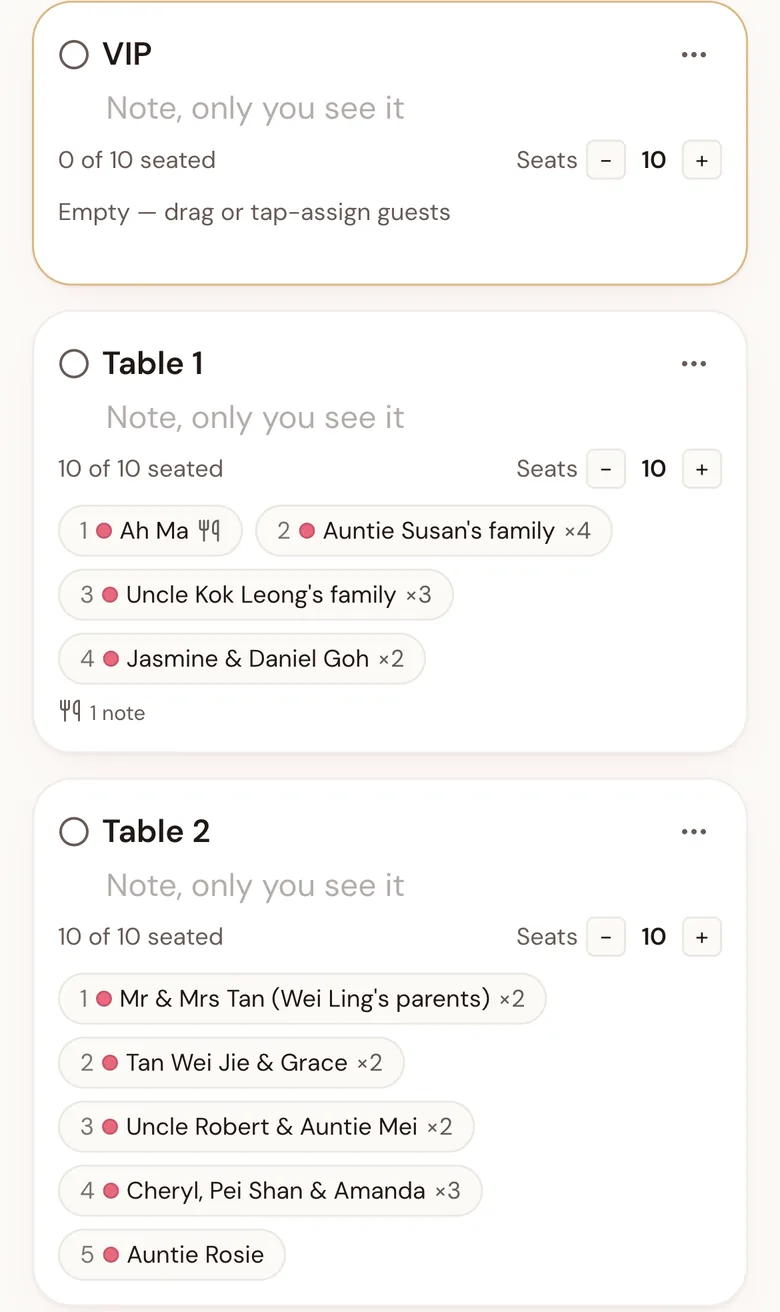
Drag a guest's chair to another table, or drag a table to move it. Click a table to see who sits there.Hold a table to move it. Tap one to see who sits there, then move anyone.
- WL's guests
- Marcus's guests
- Both
- Untagged
- Empty
Why not a spreadsheet
A spreadsheet works until the replies start changing
Most couples start a seating plan in Excel or Google Sheets. It holds names well, but a seating plan is about seats, people who come together, both families and a room. Here's where a spreadsheet gets hard, and what the chart does instead.
When an RSVP changes
In a spreadsheet: Find the row, fix the count, then check every total that used it.
In the seating chart: One tap brings new replies into your list. Each table shows how many of its seats are taken as you go.
Families and plus-ones
In a spreadsheet: One row per name, or a number you keep adding up by hand.
In the seating chart: A party stays together and takes its seats as one. Split it in two when they shouldn't sit together.
Both sides of the family
In a spreadsheet: You balance the halves of the room yourselves.
In the seating chart: One tap seats your side and theirs in two halves, families together, friends together.
Where the tables are
In a spreadsheet: No picture of the room, or a second file for the layout.
In the seating chart: Your tables on the venue's own floor plan, found on the drawing and placed for you.
Meals and children
In a spreadsheet: A column the hotel has to count for themselves.
In the seating chart: Meals counted per table, with children and high chairs, in a PDF for your hotel.
Changing table numbers
In a spreadsheet: Cut and paste every name, then check nobody went missing.
In the seating chart: Swap two tables' guests in one step, or number the tables in order, skipping 4 and 14 if you like.
Working on it together
In a spreadsheet: Sending versions back and forth, and wondering which is the latest.
In the seating chart: You and your partner see each other's changes as you make them.
On the night
In a spreadsheet: A printed board by the door, out of date after the last change.
In the seating chart: Guests scan a QR code and see their table, and the way to it from the entrance.
How it works
Three steps
- 1
Bring in your guests
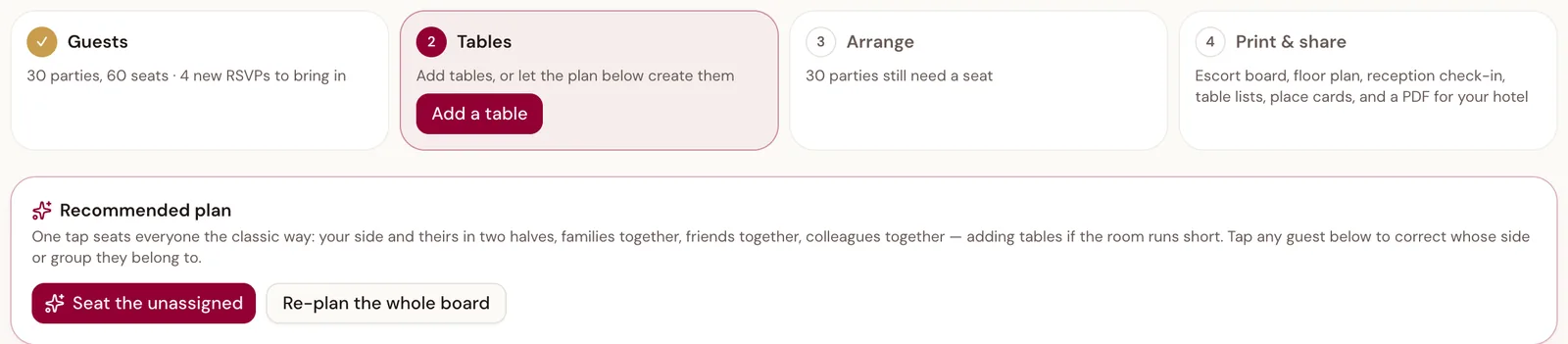
Replies from your wedding website come in with how many are coming, their meals, and any children. Add anyone else by name.
- 2
Seat everyone in one tap
Your side and theirs in two halves, families together, friends together, colleagues together, with tables added if the room runs short. The VIP table is left for you.
- 3
Move anyone
Drag a name to another table, or on a phone tap the name and then the table. Split a party across two tables, swap whole tables, and number them in order.
Layout
Laid out like your ballroom
Switch to Layout and put round, rectangle or long banquet tables where they stand, with the stage, LED screen, aisle and entrance. Add the hotel's floor plan as a photo or PDF, and Place tables puts yours on the tables drawn on it.
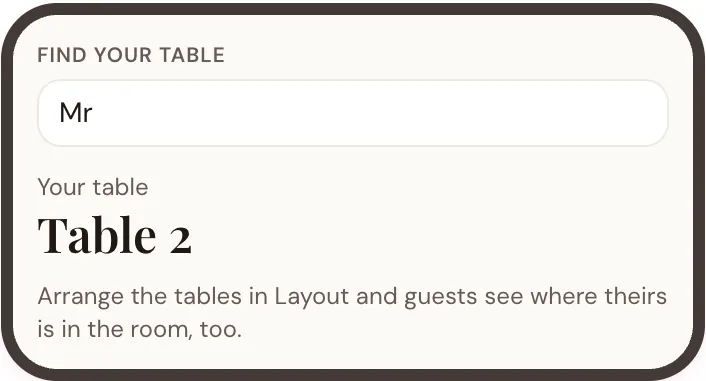
On the night, with Vows Live on (it's free too), guests can find their table on their phones: they scan the QR code on the door sign or their table card, type their name, and see where their table is and the way to it from the entrance you mark. It stays off until you switch it on.
On the day
Ready for the hotel and your helpers
The print pack
Escort board, floor plan, table lists, place cards and a reception sheet, ready to print or save as a PDF.
A sheet for the hotel
Your numbers, tables, special meals and high chairs, the programme and who to call, in one PDF for the banquet manager.
Both of you, at once
Invite your partner to your plan. A change on one phone shows on the other as it's made.
The reception desk
Whoever has the desk job ticks guests in from their phone, and you can see who has arrived.
The details
What it handles
- Price
- Free
- Tables
- Up to 80
- Seats per table
- 1 to 30
- Table shapes
- Round, rectangle, long banquet
- Meals and dietary needs
- From each reply, seat by seat
- Children and high chairs
- From each reply
- Works on
- Phone and laptop
Try it on a sample wedding
Fifty-seven guests already seated at their tables, and four new replies to bring in. Move people around, or seat everyone afresh in one tap. Nothing is saved.
Open the sampleReplies straight into the chart
The free wedding website takes RSVPs with meals, dietary needs and children, and they come into your chart with one tap.
See the wedding websiteQuestions
Common questions
Is it really free?
Yes. The seating chart is part of the free Vows.sg planner. You need a free account so your chart is saved and you can come back to it.
Do I need a wedding website?
No. You can add every guest by name. If you use the free Vows.sg wedding website, replies come into the chart with one tap, with their meals and children.
Can my partner work on it too?
Yes. Invite them to your plan, and you can both move people at the same time. Each change shows on the other's phone.
Does it work on a phone?
Yes. Tap a name and then a table, or hold a name and drag it. The layout view opens with the whole room in view, and you can pinch to zoom.
Can I try it before making an account?
Yes. Open the sample wedding: sixty guests on the list, the fifty-seven coming already seated at their tables, and four new replies to bring in. Try anything, nothing is saved, and it starts fresh every time.
Will my guests see the chart?
Only if you choose. Find your table stays off until you switch it on, with Vows Live (also free). Then guests scan a QR code, type their name and see their table, where it is in the room, and the way to it from the entrance you mark.
Seat your guests
Try the sample first, or start your own chart with a free account.